Guide · Passport-size photos
How to Make a Passport-Size Photo Online with a White Background
To make a passport-size photo online, open the Passport-size photo maker, upload a front-facing photo, choose a size such as 35 × 45 mm or 2 × 2 in, and line the head up with the guide lines. The background is replaced with plain white, and you download a single JPG or a PDF print sheet. Check the rules of the office you are applying to first: many passport offices do not accept digitally edited photos.
On this page
- When you can make a passport-size photo yourself
- Before you start: take a suitable photo
- Make a passport-size photo in five steps
- Photo sizes you can choose
- Official requirements: examples
- Print several copies on one sheet
- Online forms with a file-size limit
- Common problems and how to fix them
- Tips for a photo that gets accepted
- On a phone
- Questions
When you can make a passport-size photo yourself
"Passport size" is not one size. It usually means a small portrait photo of the head and shoulders on a plain light background, at a size set by the office that asks for it: 35 × 45 mm in many countries, 2 × 2 in for US passports, 50 × 70 mm for Canadian passports, or an exact pixel size for an online form.
RMBG.me removes the original background, puts the photo on plain white (or another plain colour), crops it to the size you choose and lays out copies for printing. That makes it useful for application forms, ID and membership cards, exam and job portals, and other documents that accept a photo you prepare yourself.
Before you start: take a suitable photo
The tool can change the background, the size and the framing, but not the photo itself. Most offices ask for:
- Facing the camera, head straight, with a neutral expression, mouth closed and both eyes open.
- Even light on the face, without shadows across it or behind the head. Daylight from a window in front of you works well.
- Head and shoulders in the frame, with some space above the head. A photo cut off at the chin or the top of the hair cannot be fixed.
- Sharp and in focus, taken in the last few months. Many offices say within 6 months; some ask for more recent photos.
- No hat, sunglasses or filters, and no glare on glasses. Some countries do not allow glasses at all.
- A plain wall behind you helps the edges come out cleanly, even though the background is replaced.
Make a passport-size photo in five steps
Upload your photo
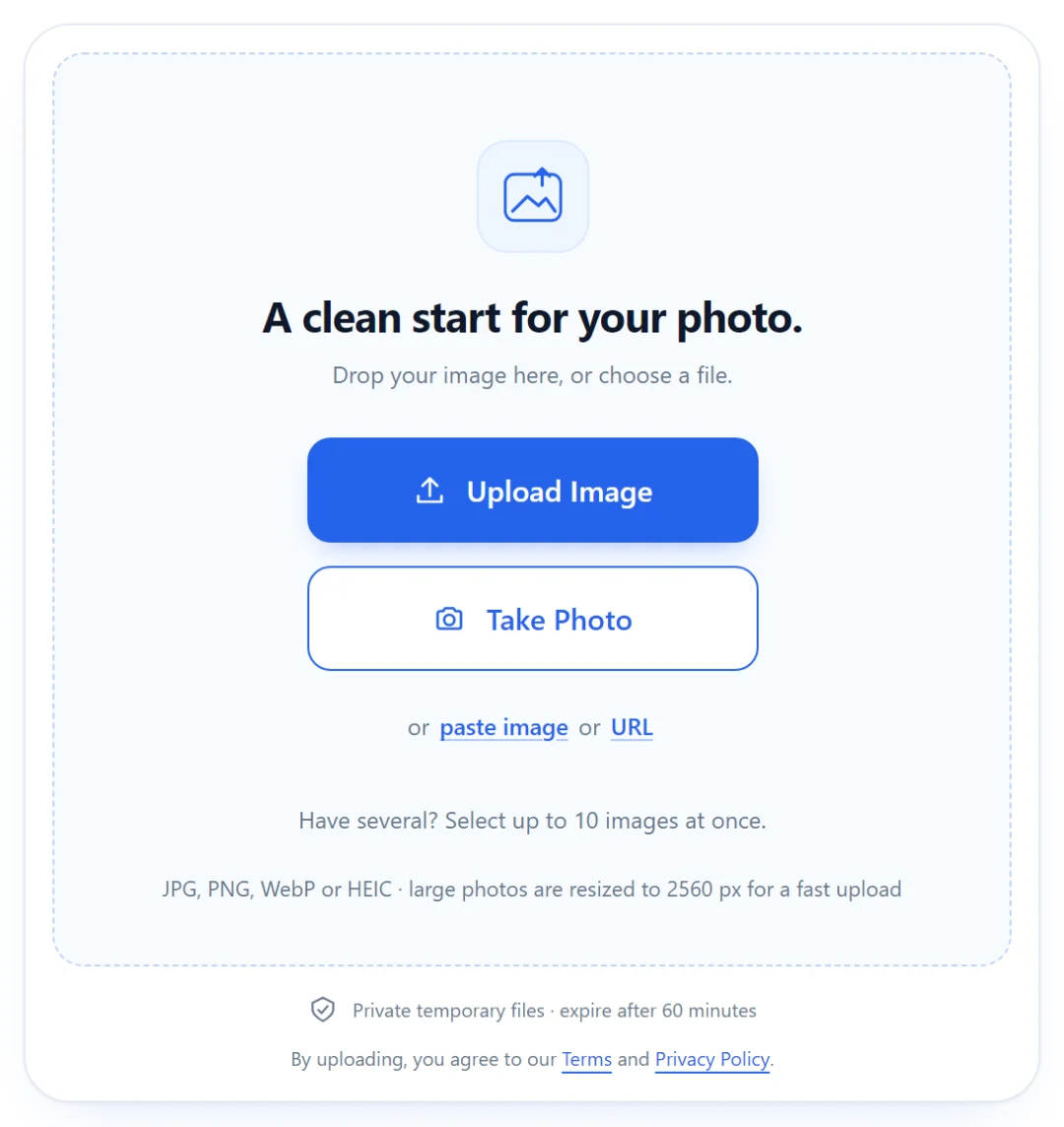
Open the Passport-size photo maker and click Upload Image, or use Take Photo to take one with your camera. The background is removed automatically, which usually takes a few seconds, and the photo is placed on white at 35 × 45 mm.
Choose the photo size
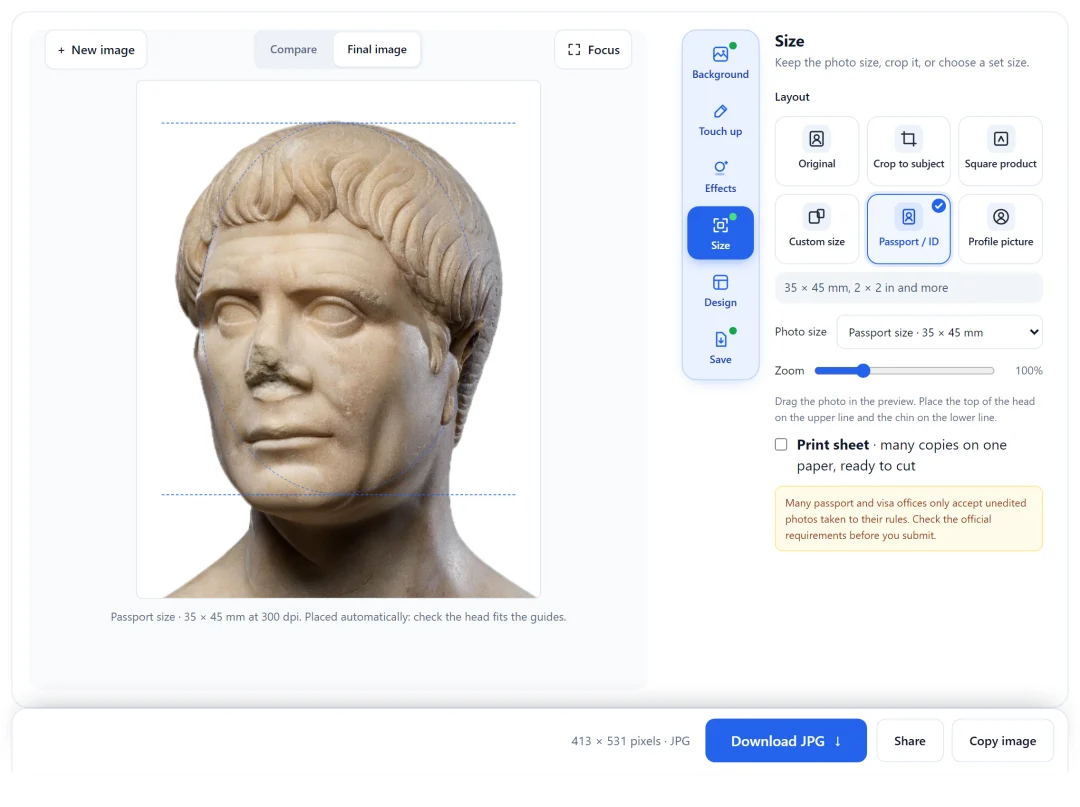
Under Size, open Photo size and pick the size your form asks for: common sizes such as Passport size · 35 × 45 mm and 2 × 2 in, or a ready-made size listed under Passport & visa by country.
Line up the head
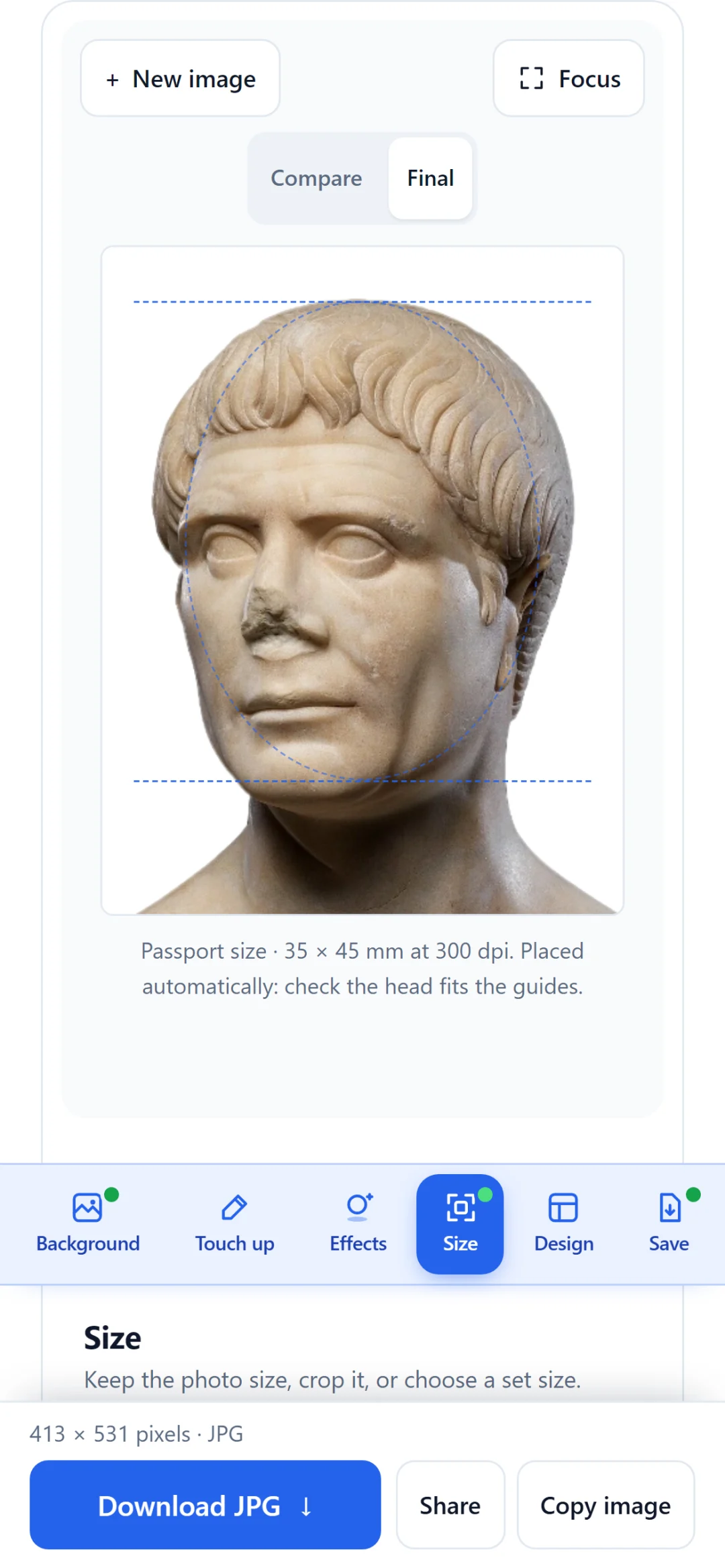
RMBG.me places the head between two guide lines. Check the preview: the top of the head should touch the upper line and the chin the lower line. If it does not, use Zoom (50 % to 250 %) and drag the photo in the preview until it does.
Check the background
White is selected for you. If your form asks for light grey or light blue, open Background: for passport and ID photos only plain colours are offered, so pick one of the light colours or set your own under Any colour.
Download or print
Click Download JPG for a single photo. The note next to the button shows its size, for example "413 × 531 pixels · JPG". To print several copies, tick Print sheet and download a PDF (see below).
Photo sizes you can choose
Every size is made at 300 dpi, the usual resolution for printed photos, so the pixel size matches the printed size. These are the sizes measured from real downloads:
| Size in the list | Printed size | Download in pixels |
|---|---|---|
| Passport size · 35 × 45 mm | 35 × 45 mm | 413 × 531 |
| 2 × 2 in | 51 × 51 mm | 600 × 600 |
| 30 × 40 mm | 30 × 40 mm | 354 × 472 |
| Square 600 × 600 px (online forms) | for screens and uploads | 600 × 600 |
| Canada passport · 50 × 70 mm | 50 × 70 mm | 591 × 827 |
| China visa · 33 × 48 mm | 33 × 48 mm | 390 × 567 |
| Japan visa · 45 × 45 mm | 45 × 45 mm | 531 × 531 |
| Malaysia visa · 35 × 50 mm | 35 × 50 mm | 413 × 591 |
| UAE visa · 43 × 55 mm | 43 × 55 mm | 508 × 650 |
| US DV Lottery · 600 × 600 px | for the online entry | 600 × 600, JPG, at most 240 KB |
The names in the list describe the size only. They do not mean that the office named accepts photos made this way: Canadian passport photos, for example, must be taken by a commercial photographer and must not be edited. If your form gives a size that is not listed, use one with the same proportions, or crop a downloaded photo with Crop image or Resize image.
Official requirements: examples
Requirements differ by country and by document, and they change. These examples come from the official pages (checked in November 2026). They show why you must read the rules for your own application:
| Document | Photo size | Head size (chin to top of head) | Background | Digitally edited photos |
|---|---|---|---|---|
| US passport (State Department) | 2 × 2 in (51 × 51 mm) | 1 to 1 3/8 in (25 to 35 mm) | White or off-white, plain | Not accepted |
| US Diversity Visa entry (State Department) | 600 × 600 px JPEG, at most 240 KB | 50 % to 69 % of the image height | White or off-white, plain | Must not be altered to change your appearance |
| UK passport, printed (GOV.UK) | 45 × 35 mm (height × width) | 29 to 34 mm | Plain cream or light grey | Must be unaltered by computer software |
| Canadian passport (Canada.ca) | 50 × 70 mm | 31 to 36 mm | Plain white or light-coloured | Not accepted: pasting the head onto a white background counts as altering; photos must be taken by a commercial photographer |
| Australian passport (Australian Passport Office) | 35–40 mm wide × 45–50 mm high | 32 to 36 mm | Plain white or light grey | Must meet their guidelines; check before you apply |
| International standard (ICAO Doc 9303) | 35 × 45 mm submitted photo | 70 % to 80 % of the portrait height | Plain, light | Set by each issuing country |
Print several copies on one sheet
Tick Print sheet under the photo size to lay out copies for cutting. Choose the Paper (A4, A5, A6, US Letter, 4 × 6 in, 5 × 7 in, 3.5 × 5 in, or Custom size… in mm or inches) and the number of Copies, or click Fill page. With 35 × 45 mm photos, an A4 page holds 30 copies and a 4 × 6 in photo print holds 8.
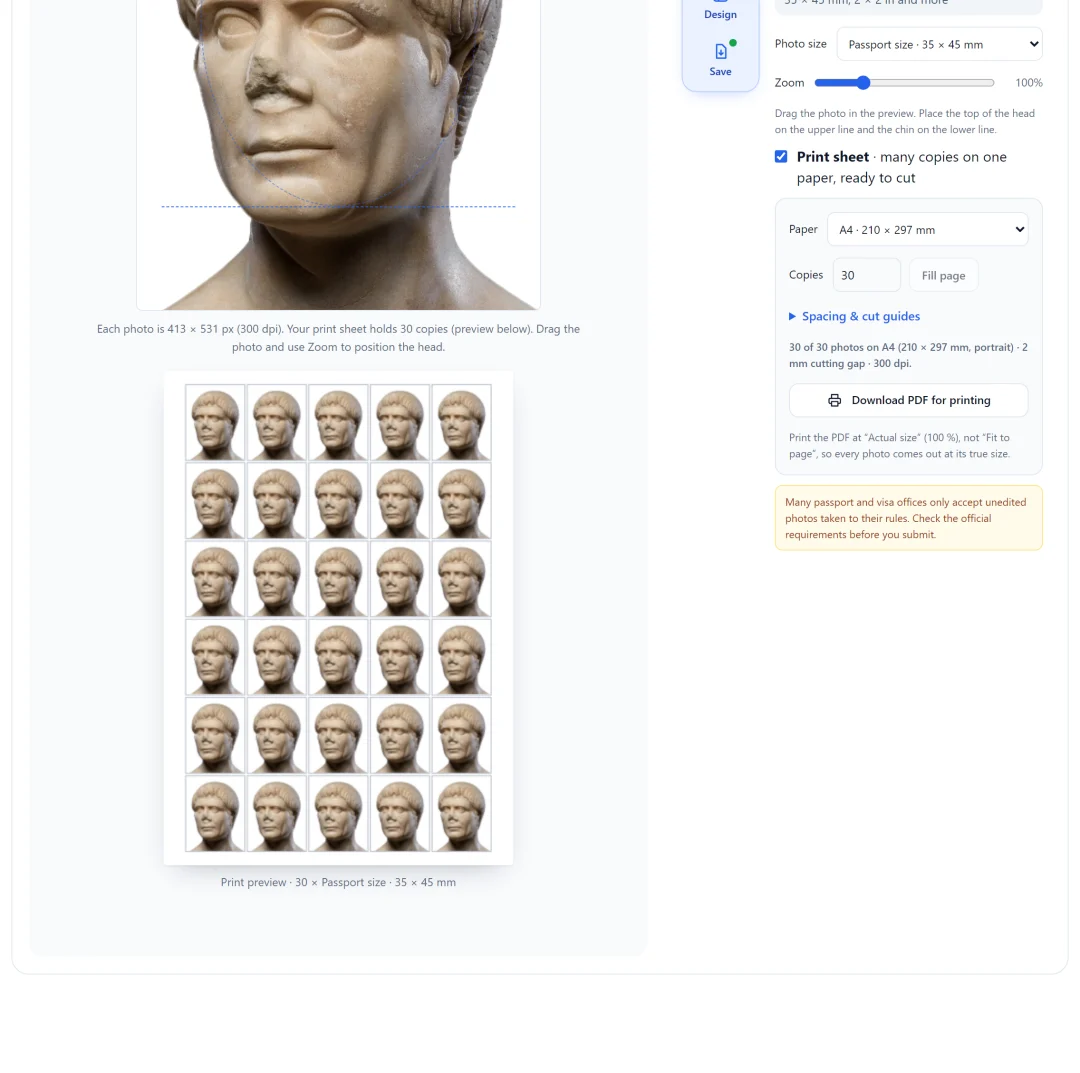
- Adjust Gap for cutting (2 mm by default) and Page margin (5 mm) if your printer or cutter needs more room. Choose thin lines, corner marks or no cut guides.
- Click Download PDF for printing.
- Print the PDF at Actual size (100 %), not "Fit to page". Otherwise every photo is scaled and comes out at the wrong size.
- Measure one printed photo with a ruler before you cut the rest.
Online forms with a file-size limit
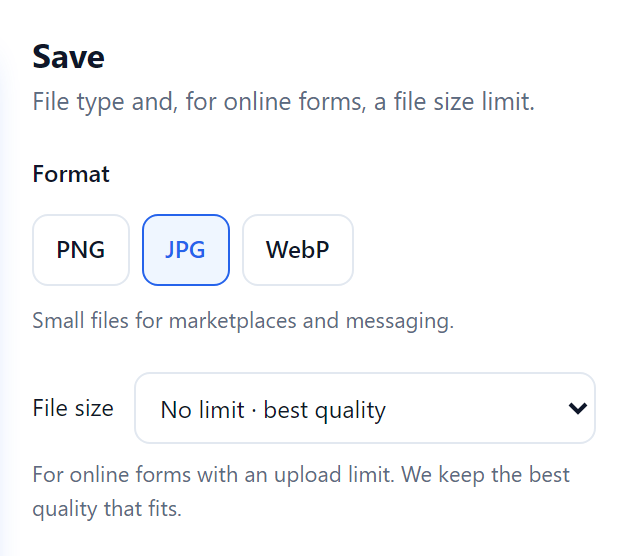
Many online forms limit the photo's file size. Open Save and choose a File size: Under 50 KB, 100 KB, 200 KB, 240 KB, 500 KB, 1 MB, 2 MB, or Custom size…. RMBG.me keeps the best quality that fits. Passport photos download as JPG by default, the format most forms ask for. In our tests a 35 × 45 mm photo was about 25 KB without any limit.
The US DV Lottery · 600 × 600 px size follows the entry rules on its own: it is always a 600 × 600 JPG of at most 240 KB.
Common problems and how to fix them
The head is too big or too small
Use Zoom and drag the photo until the top of the head touches the upper guide line and the chin the lower one. If the photo was taken too far away, zooming in makes it softer; take a closer photo instead.
Hair, ears or shoulders were cut away
Open Touch up, choose Restore and paint over the missing part. Erase removes leftovers of the old background.
The printed photos are the wrong size
The PDF was scaled when printing. Print again with Actual size or 100 % selected, and turn off "Fit to page" or "Shrink to fit".
The form says the file is too big
Choose a limit under Save → File size, for example Under 100 KB, and download again. The note next to the button shows the new file size.
The application was refused because of the photo
Read the reason in the refusal. If the office does not accept edited photos, use an unedited photo taken against a plain light background, or a photo taken by an approved photographer. If the reason is the head size, the expression, shadows or glare, retake the photo.
Tips for a photo that gets accepted
- Ask someone else to take the photo with the camera at eye level, rather than taking a selfie at arm's length, which distorts the face.
- Stand a little away from the wall so no shadow falls behind your head.
- Avoid white or very light clothing: it can blend into a white background, and some offices reject photos where it does.
- Use the same photo for every copy and every form in one application.
- Keep the downloaded file: if you need more prints later, print the same PDF again.
On a phone
Everything works in your phone's browser. Take Photo opens your camera; ask someone to take the photo for you if you can. The tools sit in a bar under the photo; Size holds the photo size, zoom and print sheet, and the Download bar stays at the bottom of the screen.
Questions
What size is a passport-size photo?
It depends on the country and the document. 35 × 45 mm is used in many countries, US passports use 2 × 2 in (51 × 51 mm) and Canadian passports 50 × 70 mm. Online forms often ask for an exact pixel size, such as 600 × 600 pixels. Use the size stated by the office you are applying to.
Can I use a photo made this way for a passport?
Only if the office accepts photos you have edited yourself. Replacing the background is a digital edit, and some passport offices, including those of the United States, the United Kingdom and Canada, reject edited photos. Check the official rules first.
Which background colour should I choose?
Use the colour your form asks for. White is the most common; some documents ask for off-white, cream, light grey or light blue. Passport photos in RMBG.me always get a plain colour background, never a design or a photo.
How many photos fit on an A4 page?
30 photos of 35 × 45 mm with the default 2 mm cutting gap and 5 mm margin. A 4 × 6 in photo print holds 8. Fill page puts as many on the page as fit for the size you chose.
Why do my printed photos come out the wrong size?
The PDF was scaled by the print dialog. Print it at Actual size (100 %), not Fit to page, and measure one photo before cutting the rest.
Is my photo stored?
The uploaded photo and the cut-out are deleted automatically after 60 minutes. The sizing, cropping and the print sheet are made in your browser. See the Privacy Policy.