Guide · Compress PDF
How to Reduce PDF Size to 1 MB, 500 KB or Less
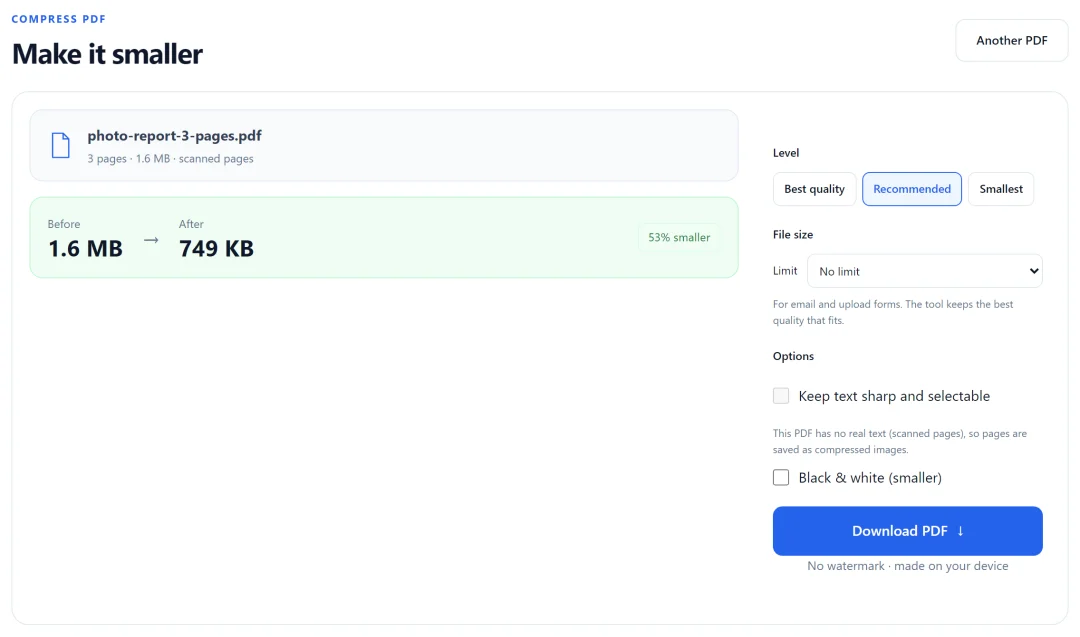
To reduce a PDF's size, open Compress PDF, add the PDF, keep the Recommended level or choose a File size limit such as Under 1 MB, and click Compress PDF. You see the size before and after, then download the smaller file. In our test, a 1.6 MB PDF of photos came out at 749 KB with Recommended and 199 KB with "Under 200 KB". The PDF is compressed in your browser, not uploaded.
On this page
Why some PDFs shrink and others do not
Most of a PDF's size comes from the pictures in it: scanned pages, photos and screenshots. Text and lines are already very small. So a scanned document or a report full of photos can shrink a lot, while a PDF of plain text changes little. In our tests, a photo PDF shrank by 53 % at the Recommended level; a text PDF by 24 %.
Compress a PDF in four steps
Add the PDF
Open Compress PDF and click Choose PDF, or drag it onto the page. One PDF at a time, up to 200 MB. The tool shows its pages and size, and whether it has real text or only scanned pages.
Choose the level
Recommended suits most documents. Best quality shrinks less and keeps more detail; Smallest shrinks the most.
Add a size limit if you have one
If a form or an email has a limit, choose it under File size: Under 200 KB, 500 KB, 1 MB, 2 MB, 5 MB or 10 MB. The tool keeps the best quality that fits.
Compress and download
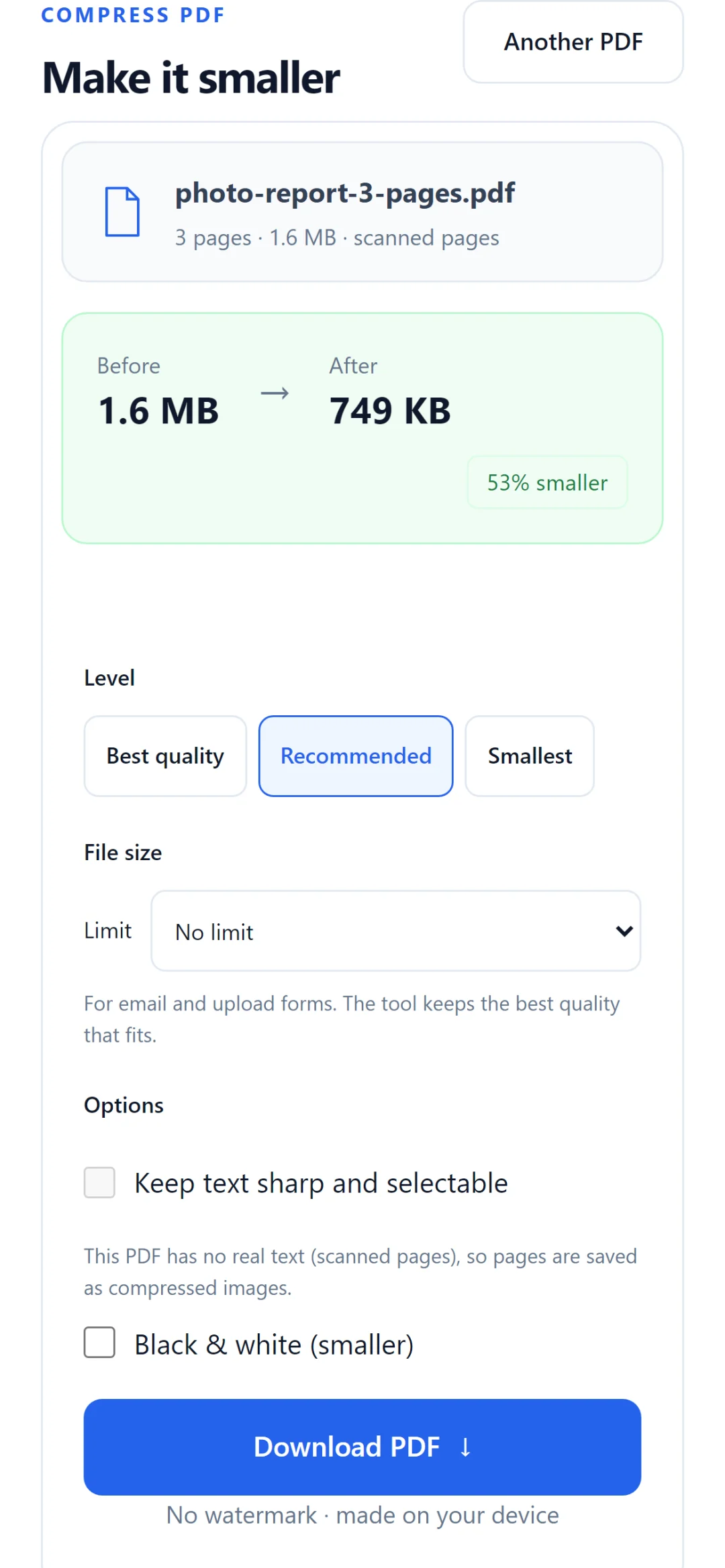
Click Compress PDF. The sizes appear side by side, for example "1.6 MB → 749 KB · 53% smaller". Click Download PDF to save it. Your original file is not changed.
What we measured
| Setting | After | Smaller by |
|---|---|---|
| Best quality | 1.3 MB | 17 % |
| Recommended | 749 KB | 53 % |
| Smallest | 244 KB | 85 % |
| Recommended + Under 500 KB | 493 KB | 69 % |
| Recommended + Under 200 KB | 199 KB | 88 % |
Your results depend on what is in the PDF. RMBG.me counts 1 KB as 1,024 bytes; if a form rejects a file right at its limit, choose the next smaller limit.
Options
- Keep text sharp and selectable (ticked for PDFs with real text): only the pictures are made smaller and the text, lines and links stay as they are. A scanned PDF has no real text, so its pages are saved as compressed images; the tool tells you which kind your PDF is.
- Black & white (smaller): removes colour. It saves a little more space: 711 KB instead of 749 KB for our photo PDF.
Password-protected PDFs
Type the password that opens the PDF and click Open, then compress as usual. If the tool cannot make the file any smaller, it says "This PDF is already well compressed" and offers your original unchanged, which still has its password. This is what happened with both protected PDFs in our tests.
Common problems and how to fix them
"No smaller" or only a little smaller
The PDF is mostly text, or it was already compressed. Try Smallest or Black & white. If you only need some pages, remove the others first with Delete PDF pages.
The text looks blurry after compressing
A scanned PDF has no real text, so its pages are pictures and a strong limit makes them softer. Choose a larger limit or Recommended. For a PDF with real text, make sure Keep text sharp and selectable is ticked.
The form still rejects the file
Choose the next smaller limit (the form may count 1 KB as 1,000 bytes), and check that you uploaded the downloaded copy, not the original.
Supported files and limits
| Files | One PDF at a time, up to 200 MB |
|---|---|
| Size limits | Under 200 KB, 500 KB, 1 MB, 2 MB, 5 MB or 10 MB |
| Where it happens | In your browser: the PDF is not uploaded (in our test, nothing was sent to the server) |
On a phone
Compress PDF works in your phone's browser: choose the PDF from your files, pick a level or limit, compress and download.
Questions
How do I reduce a PDF to under 1 MB?
Add the PDF, choose Under 1 MB under File size and click Compress PDF. The tool keeps the best quality that fits and shows the new size.
Will the text stay sharp?
In a PDF with real text, yes: only the pictures are made smaller. A scanned PDF has no real text; its pages are saved as compressed images.
Why did my PDF not get much smaller?
Text is already small, so text PDFs compress little. The biggest savings come from scans and photos. If the file cannot get smaller, the original is offered unchanged.
Is my PDF uploaded?
No. The PDF is compressed in your browser. In our test, nothing was sent to the server.
Can I compress a password-protected PDF?
Yes. Enter the password to open it, then compress. If no smaller version is possible, the original is offered unchanged, with its password.