Guide · Signature maker
How to Make a Clean Digital Signature for Online Forms
To make a signature image for an online form, sign on white paper, photograph it, and add the photo to the Signature maker. The paper is removed so only the ink is left; then choose the size your form asks for (for example 140 × 60 pixels), JPG or PNG, and a file-size limit such as Under 20 KB, and download. You can also draw your signature on the screen. Nothing is uploaded.
On this page
This makes a picture of your handwritten signature, the kind many online application, exam and bank forms ask you to upload. It is not a certificate-based "digital signature" that proves a document has not been changed. To place your signature on a PDF, see Sign PDF.
Before you start
- Sign with a dark pen (black or blue) on plain white paper, a little bigger than usual.
- Take the photo from straight above, in good light, without your shadow or the phone's shadow on the paper.
- Make sure the photo is sharp: tap the screen to focus on the signature.
Make your signature image in four steps
Add the photo, or draw
Open the Signature maker and click Choose photo (JPG, PNG, WebP or iPhone HEIC; you can also drag, drop or paste). Or click Draw it instead and sign with your finger, a stylus or the mouse, then click Use this signature.
Check the clean-up
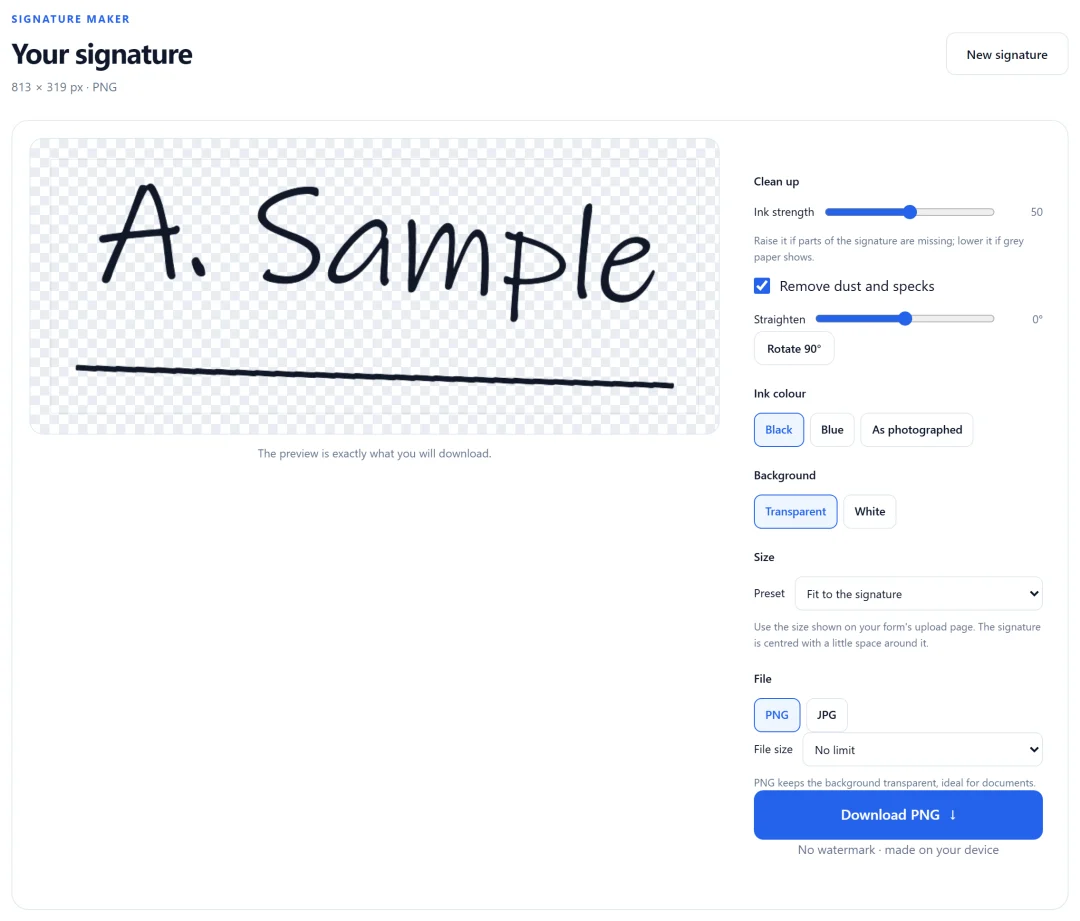
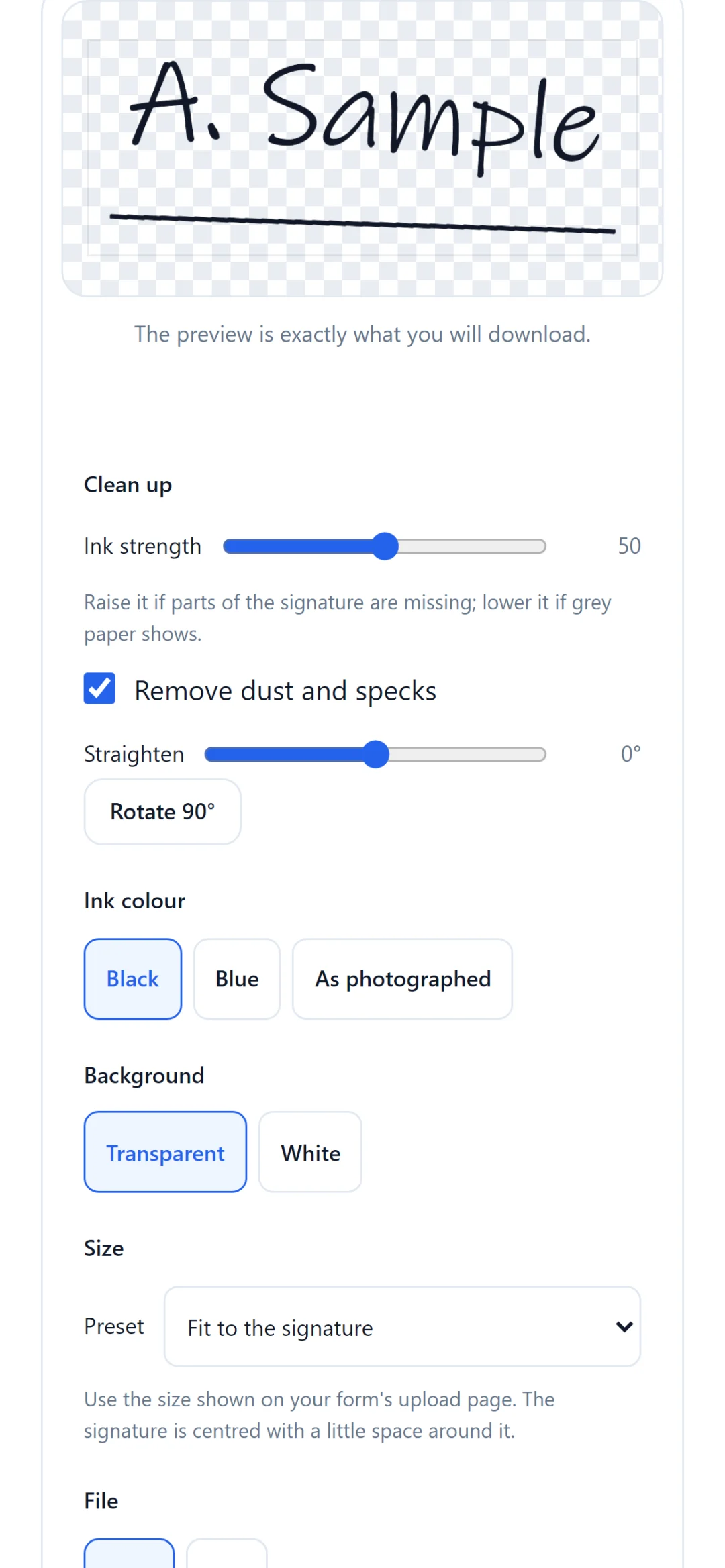
The paper is removed and only the ink is left. "The preview is exactly what you will download." If parts of the signature are missing, raise Ink strength; if grey paper shows, lower it. Remove dust and specks is on; Straighten and Rotate 90° fix a crooked photo.
Choose the colour, background and size
Ink colour: Black, Blue or As photographed. Background: Transparent (PNG) or White. Size: pick the size your form asks for (see below) or Custom size….
Choose the file and download
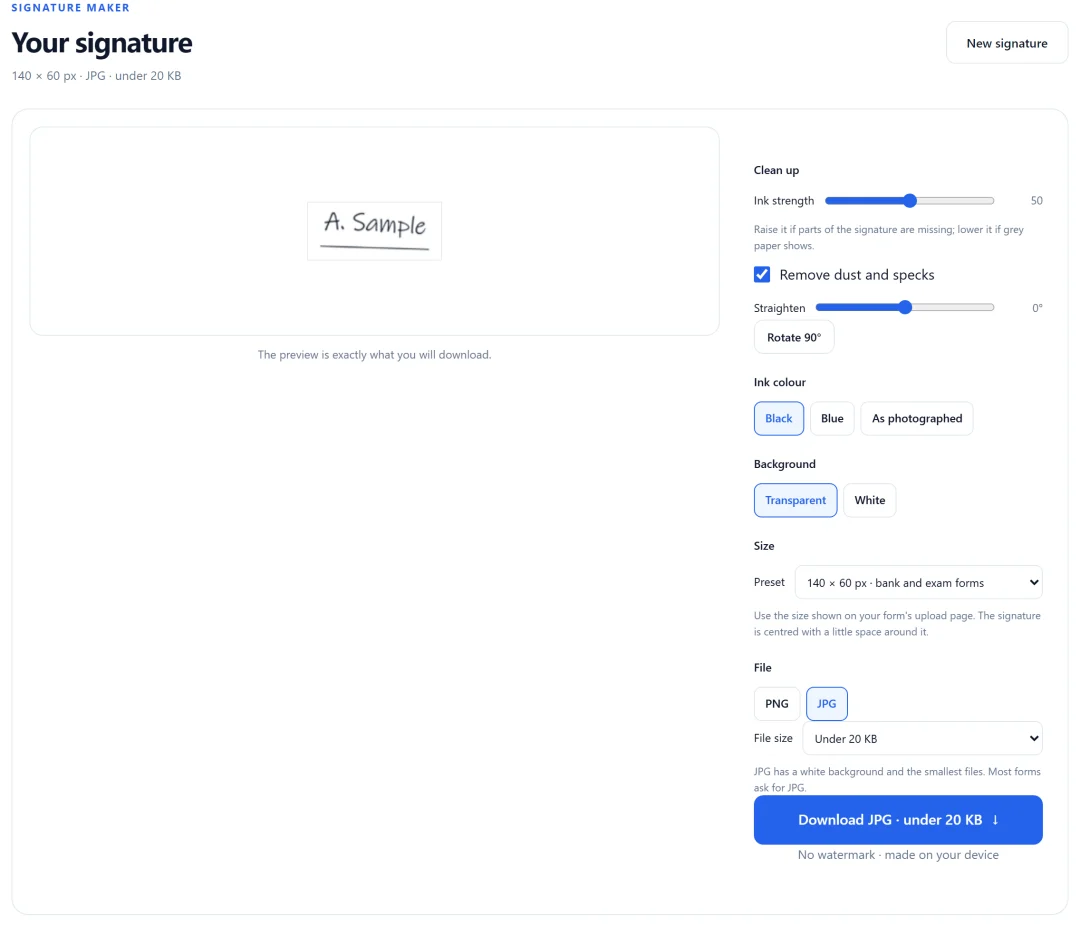
Choose JPG (white background, smallest files; most forms ask for JPG) or PNG (keeps a transparent background, for placing on documents). If the form has a limit, choose a File size such as Under 20 KB, and click Download.
Common signature sizes
Always use the size shown on your form or its upload page. The ready-made sizes are:
| Size | Often used for |
|---|---|
| Fit to the signature | Keeps the signature's own shape (813 × 319 px in our test), for documents |
| 140 × 60 px | Bank and exam forms |
| 300 × 80 px | Online application forms |
| 600 × 200 px | Documents and print |
| Custom size… | Any width and height a form asks for |
The signature is centred with a little space around it. In our test, a 140 × 60 JPG with "Under 20 KB" was saved at 3.3 KB, well under the limit ("Saved 3.3 KB, under 20 KB.").
Transparent or white background?
- White (JPG): for upload forms. JPG cannot be transparent, so a JPG always has a white background.
- Transparent (PNG): to place the signature over a document, a letter or a contract, so no white box shows.
Common problems and how to fix them
"No signature found"
The ink was not dark enough, or the photo has no clear signature. Raise Ink strength, or take a sharper photo of a darker signature on white paper.
Parts of the signature are missing or broken
Raise Ink strength a little at a time until the lines are whole. A thicker pen also helps.
Grey patches or dots around the signature
Lower Ink strength, keep Remove dust and specks ticked, or retake the photo in more even light.
The form rejects the file
Check the form's required format (usually JPG), size in pixels and maximum file size, and set all three before downloading.
Privacy
The photo is cleaned in your browser and is not uploaded; in our test, nothing was sent to the server. Keep your signature file somewhere safe, and only upload it where it is needed.
On a phone
On a phone you can take the photo or use Draw it instead and sign with your finger, then download straight to your phone.
Questions
What size should my signature be?
Use the size printed on the form or its upload page. 140 × 60 pixels and 300 × 80 pixels are common; you can also enter any custom size.
How do I make my signature under 20 KB?
Choose JPG and Under 20 KB. In our test, a 140 × 60 signature came out at 3.3 KB.
Can I make the background transparent?
Yes. Choose Transparent and download a PNG. A JPG always has a white background.
Can I sign on my phone instead of using paper?
Yes. Choose Draw it instead, sign with your finger or a stylus, and click Use this signature.
Is this a legally valid digital signature?
It is an image of your handwritten signature, as many forms ask for. It is not a certificate-based digital signature; whether an image is accepted depends on the organisation asking for it.
Is my signature uploaded?
No. It is cleaned in your browser and not sent to our server.